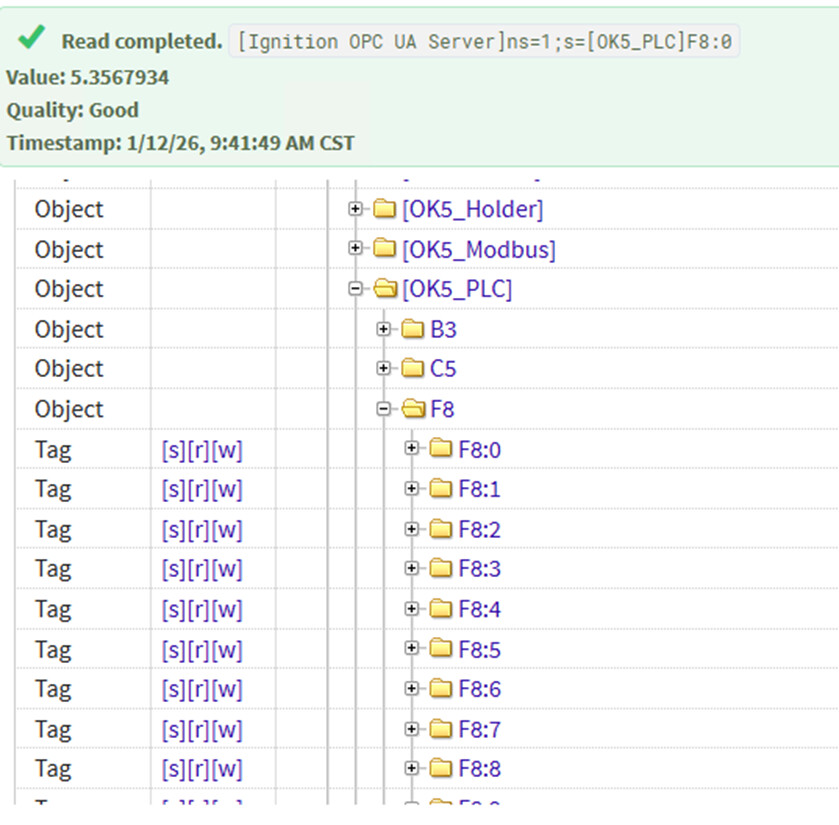
I am stumped currently as to why I can read a tag from a Micrologic PLC in the Quick Connect browser in the Gateway successfully but not be able to get a value when I create a tag using the exact same path in the designer tag browser? I have manually typed the tag address, and I have browsed the PLC and added the tag that way…still get “Bad” in the designer environment.


Usually when this happens it's because you have other tags in the same file defined, including one or more that are bad/invalid for some reason (out of range, etc...), and that causes the entire request to fail.
When you read from the QC it's isolated.
Thanks. I will disable the other tags I am reading and try to find the bad one by adding one at a time. .
Also make sure your logix version and driver match and use the tag browser in the tag definition window to make sure you get the full correct path for the driver
There was a couple of bad F:x addresses that killed the comms. Reminds me of talking to a Modbus device. Thanks for the quick reply and solution. Should have thought about that when I did a mass import.
Try prepending those tags with “::” to escape the “:”. I don’t have a SLC or PLC5 set up to test with but I’m pretty sure you have to do that. I know you do in some other technologies. This also applies to program tags because they have a “:” in them.
Not necessary and not the issue here.