I had previously been using version 8.1.x of the Gateway/Designer, imported a client’s project, and after creating my Device Connection, was able to both browse the tags from the CompactLogix v37 as well as get good data. Unfortunately, I quickly realized that they used some custom Images, and after learning those are put into the Gateway database, I understood that I needed to do a Gateway Restore.
Their Gateway was done in something higher than 8.1, so I downloaded/installed 8.3.2. While it had the project already in it, it told me I didn’t have permission to open it, so I re-imported it over top of it.
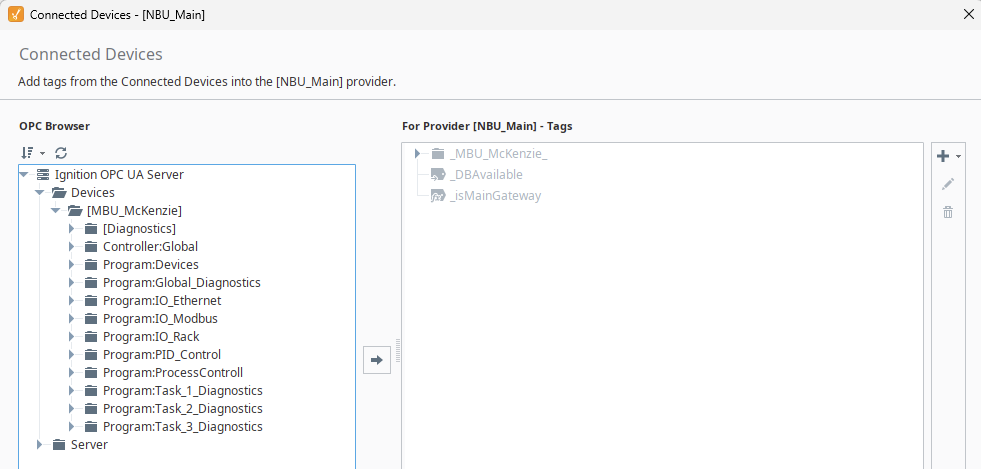
Recreated my Device Connection to the CompactLogix, opened the project in Designer, could browse all of the tags in the OPC Browser, added them to my Tag Browser, just like I had originally done in 8.1, however, every tag now has Error_Configuration:
Both Device Connection and OPC UA Server Connection say Connected in with the green check, so I am at a loss what was different between when I was doing this in 8.1 vs 8.3.2?
Hover over the "Error_Configuration" or open a tag and go the diagnostics panel, you should be able to get a little more info about the configuration error.
Just to confirm to myself, I went back and did a full uninstall/reinstall of 8.1.45 to confirm that I was reading data. The only thing I added was the Device Connection. Everything else, such as the ‘Default’ Tag Group was baseline install. Could read tags just fine.
Did a full uninstall/reinstall of 8.3.2, imported project. Same thing, only added Device Connection, everything else default. Could read tags.
Then did the Gateway Restore. Had to remake my Device Connection. Now it looks like they have changed the Tag Group to something else, and yes, when I hover over the Error_Configuration, I see:
That to me implies it’s still looking for the “Default” tag group, when they created one called NBU_Main? (default doesn’t exist)
This is the normal way, but it always puts them into a tag group called "Default" by default.
You restored a backup from somebody who deleted this group and created other groups. You just have an extra step to deal with now, where you need to configure any tags you create to be in the intended group.
That does seem like what they did, and I have no idea why.
They did add a couple tags under the custom ‘NBU_Main’ Tag Group they created, but as I have thousands of tags to pull in, I just recreated the deleted ‘default’ group and now I can read them just fine.
Just an FYI, bulk editing tags in Ignition is really easy. You can multi select them and edit directly in the tag editor; you can copy the json of multiple tags or a folder, edit in notepad++ and paste back in; you can use scripting finctions; lots of ways to make it efficient.
Bulk creating tags is a little more work, but once you have the scripts written, you can make that process simple as well such as taking tables from Excel and importing in.
@pturmel ‘s import tool on the IA Exchange is worth looking into using
There are many reasons to create tag groups outside of default. In fact, I delete the default tag group purposely in my projects to enforce organization. I would not have recreated it, but corrected the tags as you were instructed by multiselecting and changing the tag group to the name the customer wanted.
Unless I’m missing something, multi-selecting and changing the tag group directly from the tag browser wasn’t going to be an option because almost all of the tags were some form of UDT with nested folders, etc, and the edit option looked greyed out if you were at the folder level?
However, I can appreciate the reasons to remove the default tag group, and my preference would be to use what they had set up as well. At least now that I confirmed what the overall issue was, I can start familiarizing myself with other methods for importing the tags beyond just using the OPC Browser drag/drop.
You'd want to use the tag reference (search) tool to e.g. search for all the tags with an OPC Item Path that starts with "[MyDeviceName]" or something. Then select all and change the Tag Group.
Sorry for what I feel are obvious questions, but I’m still learning Ignition.
Where is the tag reference search tool? Is that something built in Designer?
Edit:
While watching one of the IU training videos, it mentioned the Tag Group Editor, and I just tried adding the ‘Default’ group within that, copying the properties from the existing ‘Fast’ group, which is what they had assigned the existing tags, and now all of the data came through.
For certain versions of Ignition there is a bug where creating a new tag provider on a redundant Ignition system does not create Default and Default Historical tag groups. Drag/dropping the tags to create them still assigns them to those tag groups which makes them not work. Creating a new tag group and assigning them to that tag group works but sometimes if you name that tag group “Default” it doesn’t work.
It’s a strange bug that came back with a recent regression. IA is aware as of a support call I had with them 2 days ago and it is being fixed. I think it only happens on redundant Ignition installs.
This may or may not be what happened. If you don’t have a redundant Ignition gateway then it probably isn’t.
That might be good info to be aware of, but from the looks of it, this doesn’t seem to be a redundant gateway. And as stated, after adding ‘Default’ to the existing list in the Tag Group Editor, all of the Error_Configuration immediately cleared and started reading:
Now that I could find, and that easily allowed me to change them all to one of the existing groups. I then went back and deleted the Default group I had made in the Tag Group Editor, and I am still reading data, so I think I am on my way now.
The reason I said “sometimes” is that sometimes when I added “Default” it worked and other times it didn’t. I suspect redundancy was doing things behind the scenes that were making it behave inconsistently.
You can see if you have a redundant gateway from the gateway config page (servernameORserverIP:8088 by default). It’s on the status page from the navigation on the left. You probably don’t have a redundant gateway because you uninstalled Ignition to revert the version back to 8.1.x but I’m not sure what would happen if you did that on a redundant gateway so I’m not certain.
It does. I was referring to this page. As you learn Ignition I would recommend familiarizing yourself with the status page. It has a ton of information that is really useful for getting a lay of the land on a system that was implemented by others and troubleshooting general problems.