I was annoyed by this problem again today, so I decided to poke at it a little bit. The cause of the problem is the minimum size parameter of the right jPanel in the main JSplitPane of the component script editor. The minimum width is more than 1100 pixels, and since the JPanel can't shrink below that, it pushes the buttons out of view, and at a certain point as the window is being widened, it pushes the SynthSplitPaneDivider between the left and right JPanels all the way to the left and traps it there.
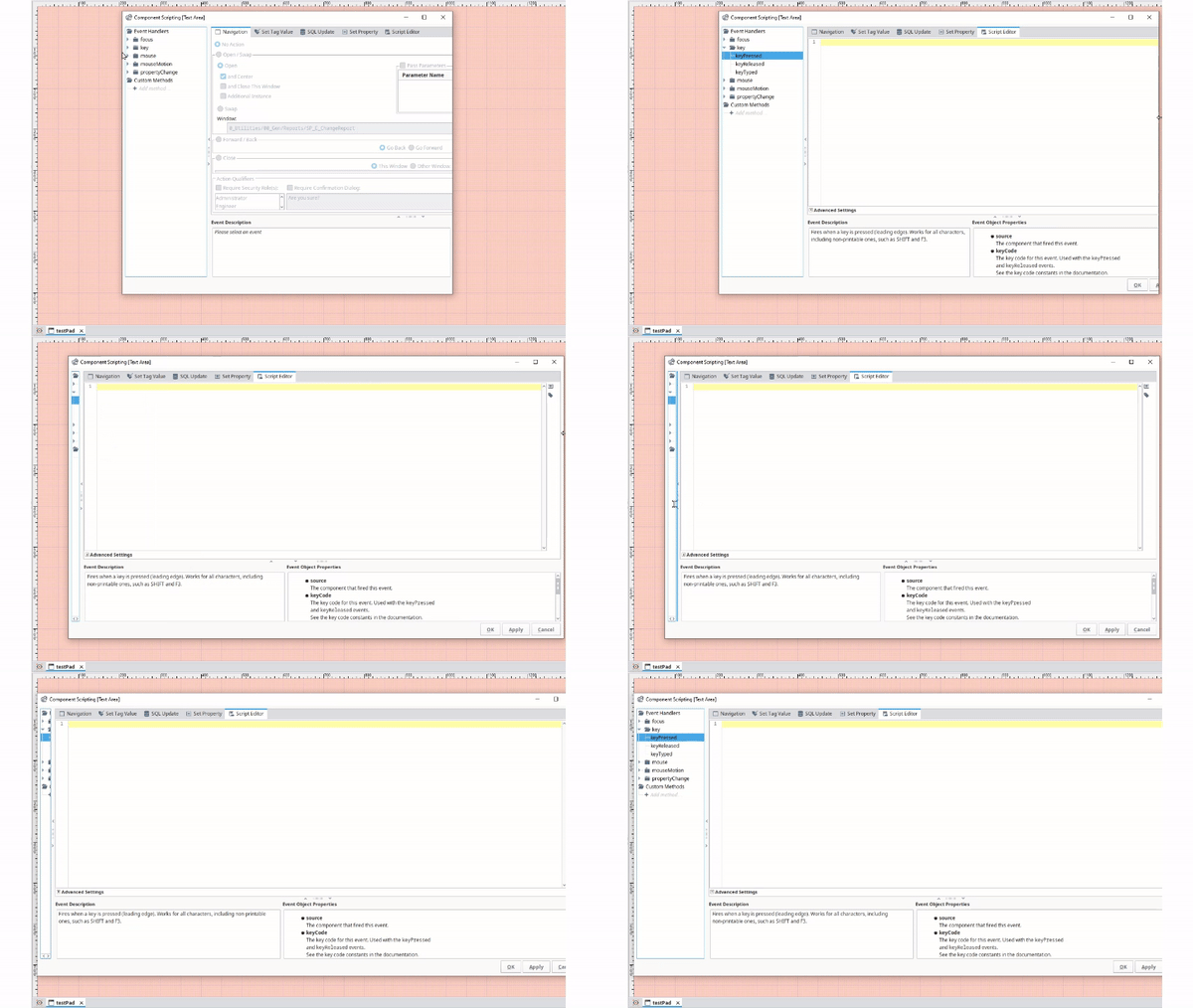
Until IA corrects it, this can be fixed from the script console using this script:
from java.awt import Window, Dimension
for window in Window.getWindows():
	if window.__class__.__name__ == 'ComponentScriptEditor':
		def fixSplitPane(window):
			for component in window.components:
				if component.__class__.__name__ == 'JSplitPane':
					component.rightComponent.minimumSize = Dimension(0,0)
				else:
					fixSplitPane(component)
		fixSplitPane(window)
The script just finds the JSplitPanes and sets their right JPanel's minimum size to zero.
Result:

UPDATE:
I developed this script a little further, so it meets the requirement of the OP's original question:
# RUN ONLY ONCE DURING A DESIGNER SESSION
# ...prior to opening any script editors
from java.awt import Toolkit, AWTEvent, Dimension
from java.awt.event import AWTEventListener

class WindowMonitor(AWTEventListener):
	def eventDispatched(self, event):
		if event.__class__.__name__ == 'WindowEvent' and event.ID == event.WINDOW_OPENED:
			window = event.window
			if window.__class__.__name__ == 'ComponentScriptEditor':
				# Fix the split pane divider and button off screen bug
				# ...by setting the right JPanel's minimum size to 0
				splitPane = self.getSplitPane(window)
				splitPane.rightComponent.minimumSize = Dimension(0,0)

				# Specify a desired default window size and apply it
				windowSize = Dimension(1000, 600)
				window.preferredSize = windowSize
				window.size = windowSize

	# Recursively findes the highest level split pane within a given window
	def getSplitPane(self, window):
		for component in window.components:
			if component.__class__.__name__ == 'JSplitPane':
				return component
			elif self.getSplitPane(component):
				return self.getSplitPane(component)

# added logic to prevent multiple of the same listener from being inadvertently added
toolkit = Toolkit.getDefaultToolkit()
for proxy in toolkit.AWTEventListeners:
	if proxy.listener.__class__.__name__ == 'WindowMonitor':
		toolkit.removeAWTEventListener(proxy.listener)
toolkit.addAWTEventListener(WindowMonitor(), AWTEvent.WINDOW_EVENT_MASK)
Run this script at the beginning of a designer session, and for the duration of that session, the split plane right panel issue will be automatically fixed any time a component scripting editor is opened, and the size of the scripting window will be automatically set to whatever dimension is specified.
Edit: Added logic that eliminates the possibility of inadvertently adding more than one of the same listener.