Created own login page using the Ignition perspective designer. Kindly check all, to solve my problem

I created the login page with my own, using Perspective.

I need to make authentication for the above login page. Like when the user gives the correct credentials, then only the user moves into my project.

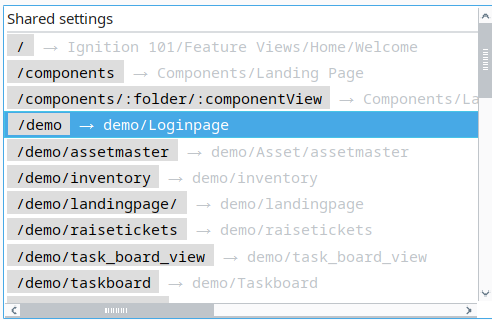
There are some URLs with views, but all the URLs can be viewed using the browser URL; restrict all the URLs. Refer to the screenshot below.

Don't make your own login system, its already part of Ignition.

Use the tools that already exist to configure authentication and window restrictions.

There is no way to create, own screen in Ignition perspective.

There is no need to.

1 Like

You referred to the above link, but it is version 7.1. I’m working in**
Gateway Version** 8.3.1, there are no features like security in the designer.

I’m a new developer. Kindly guide me clearly to achieve

You should use the authentication that Ignition has.

I really suggest to you to check the university.

1 Like

you can go through this link and understand how security works in Ignition.

Yeah, definitely go through the entire Inductive University course (it is free), or you’ll end up creating your own trends, custom alarming, and auditing.

1 Like

For a bit more context, you cannot force a login in perspective via scripting functions to log into an identity provider. This would be a huge security hole. Identity providers provide their own login screens, including Ignition's own default IdP. If you try to create something yourself using Perspective, you will be building a security model that can only ever be half baked while also missing out on using most of the security features Ignition offers for things like tag permissions etc