I’m new to Ignition and I’m trying to create value trend logs using the Historian. From what I’ve learned in Ignition University, I need to set up a database connection, but mine is currently showing as FAULTED.
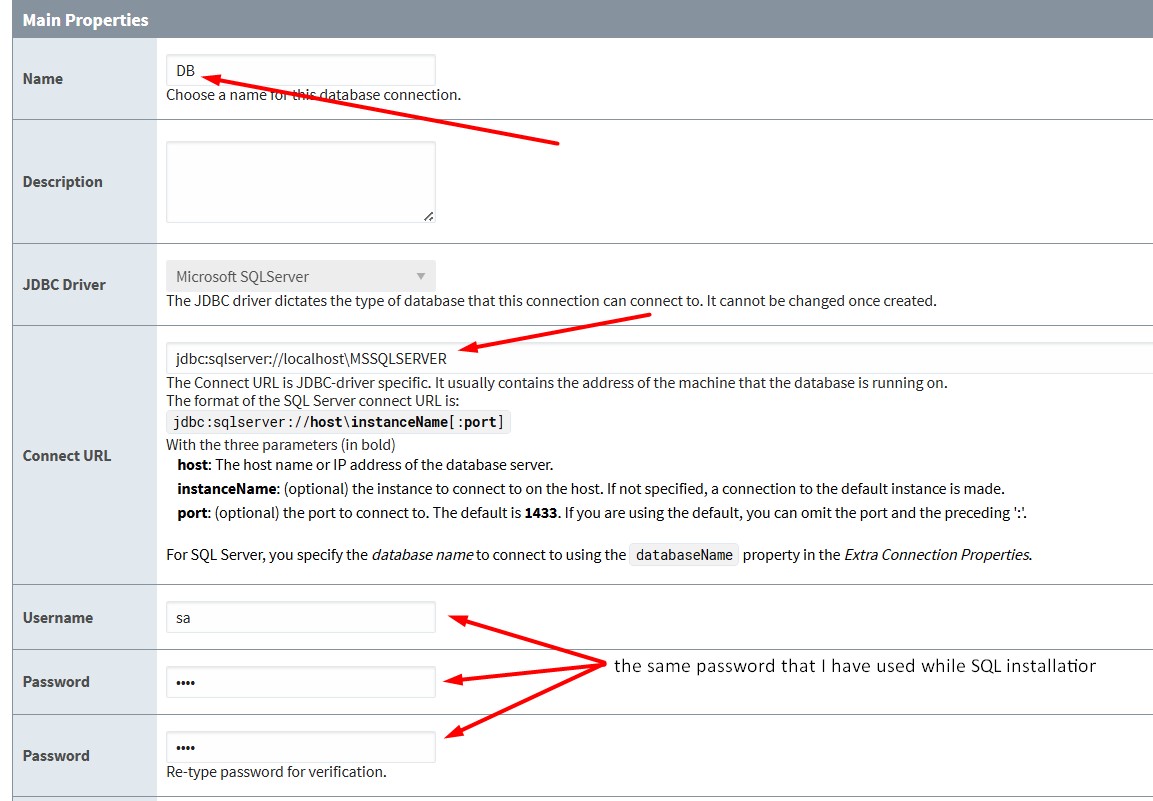
When creating the database connection, it asks for a username and password.
My first question is: Are these credentials supposed to be created earlier in SQL?
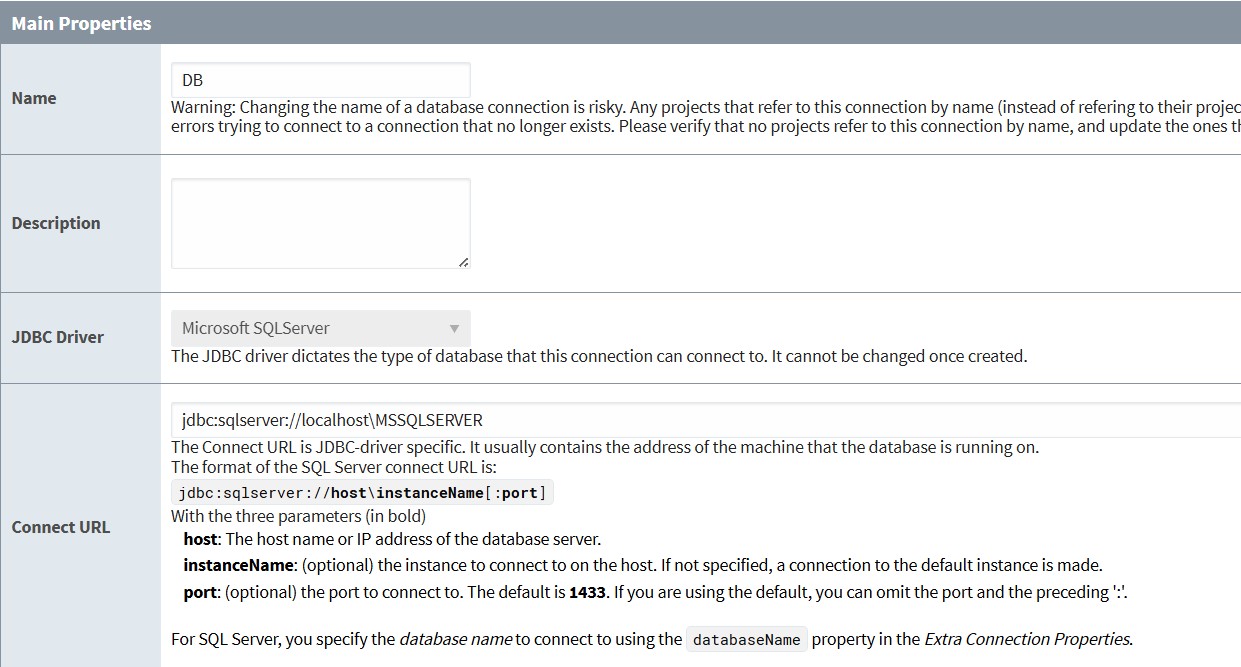
I’ve attached a screenshot of my localhost database settings, but I’m not sure if they are correct.
Could you please guide me on the correct steps to create the database and set up the connection?
Yes.
If you are using MSSQL. You can go through these two videos and try to set up the connection. If you still face issues after doing so, you can post the issue with the error message here.
you are running the DB on localhost. This isn’t best practice, if this is for an install that will grow in requirements, run the DB on a separate VM or different server.
You are using the SA account. Don’t do that. Create an Ignition user for the DB, and use that.
I know you moved to mysql, but where did you get that instance name from (MSSQLSERVER)? My guess is that you created the instance as the default instance which means this should be blank on the ignition connection. Ie just
Is your MSSQL server located on the same server ? if not , probably , you need to create an inbound rule to let your Ignition server see the MS SQL server through TCP/IP.