Hi Everyone,
I’m encountering an issue while trying to read Mitsubishi PLC tag data in the Ignition Designer. I have manually added the addresses in the Gateway; however, when I try to browse the OPC path in the OPC tag, I still receive an error.
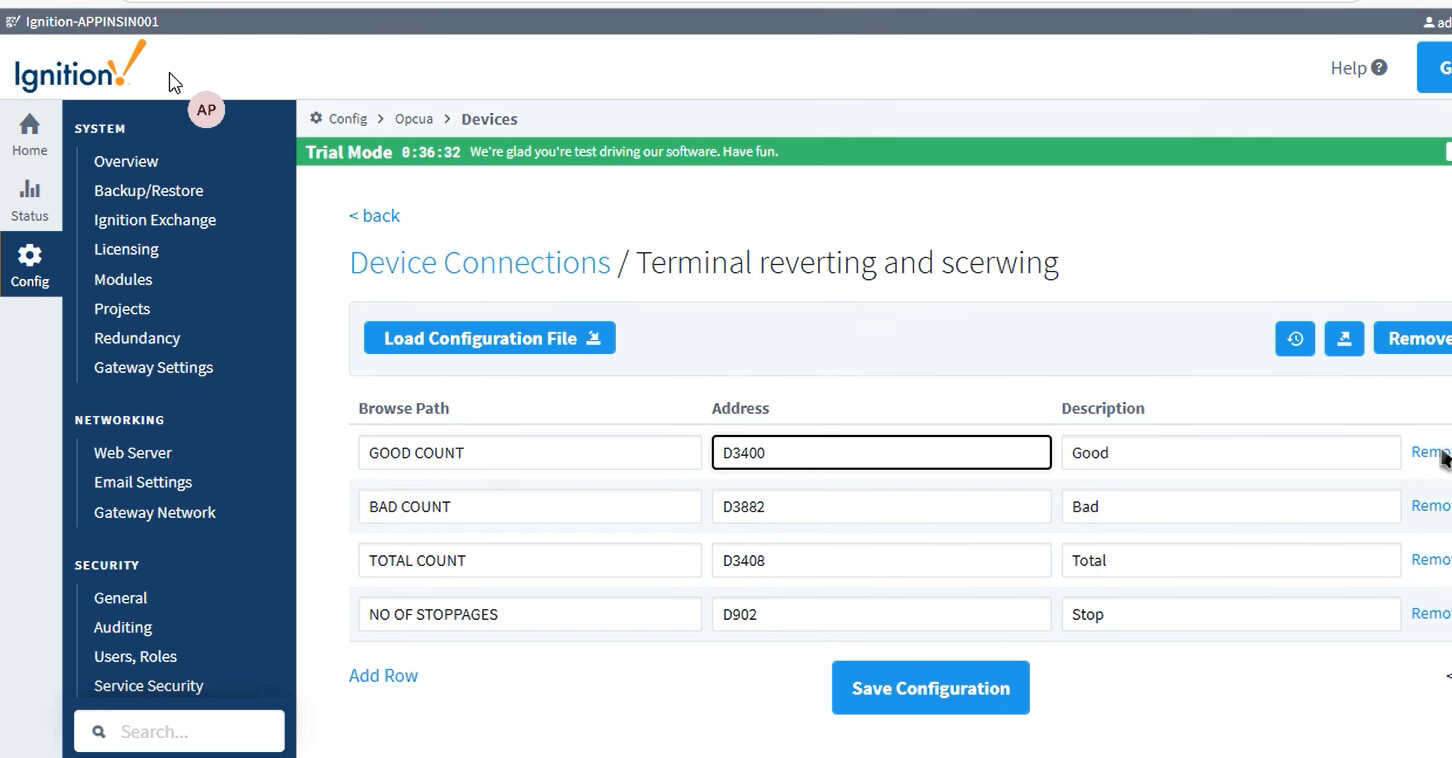
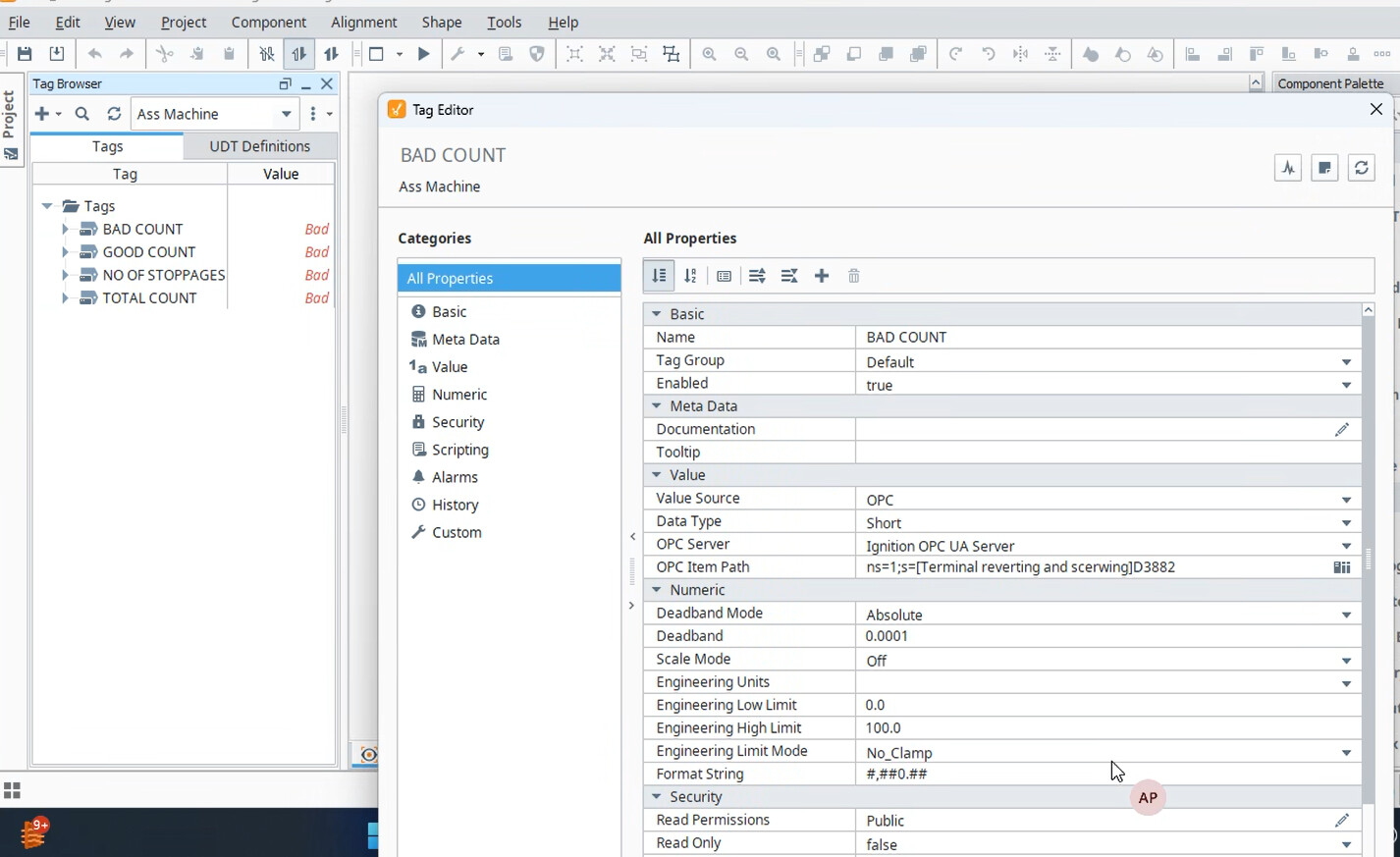
I didn't know spaces were valid in device connection names, I'd try without. I would also recommend against the 2nd layer of address mapping that is the device modbus map, and just put the modbus address into your tags instead
This isn’t Modbus, so the mapping is less of an issue - note that his OPC Item Paths have the actual address and not the assigned name.
@amapatil hover over the tag in the Designer to get the actual QualityCode, hopefully more specific than just “Bad”. Look in the Ignition Gateway logs for error messages. Check the connection status of that device to make sure you’re actually connected.