I still feel that my Perspective module theme classes are not linked to this new file location, or there is another bug during installation. Looking at the file path through the “core” folder, I don’t see the default Light and Dark themes. See image below.


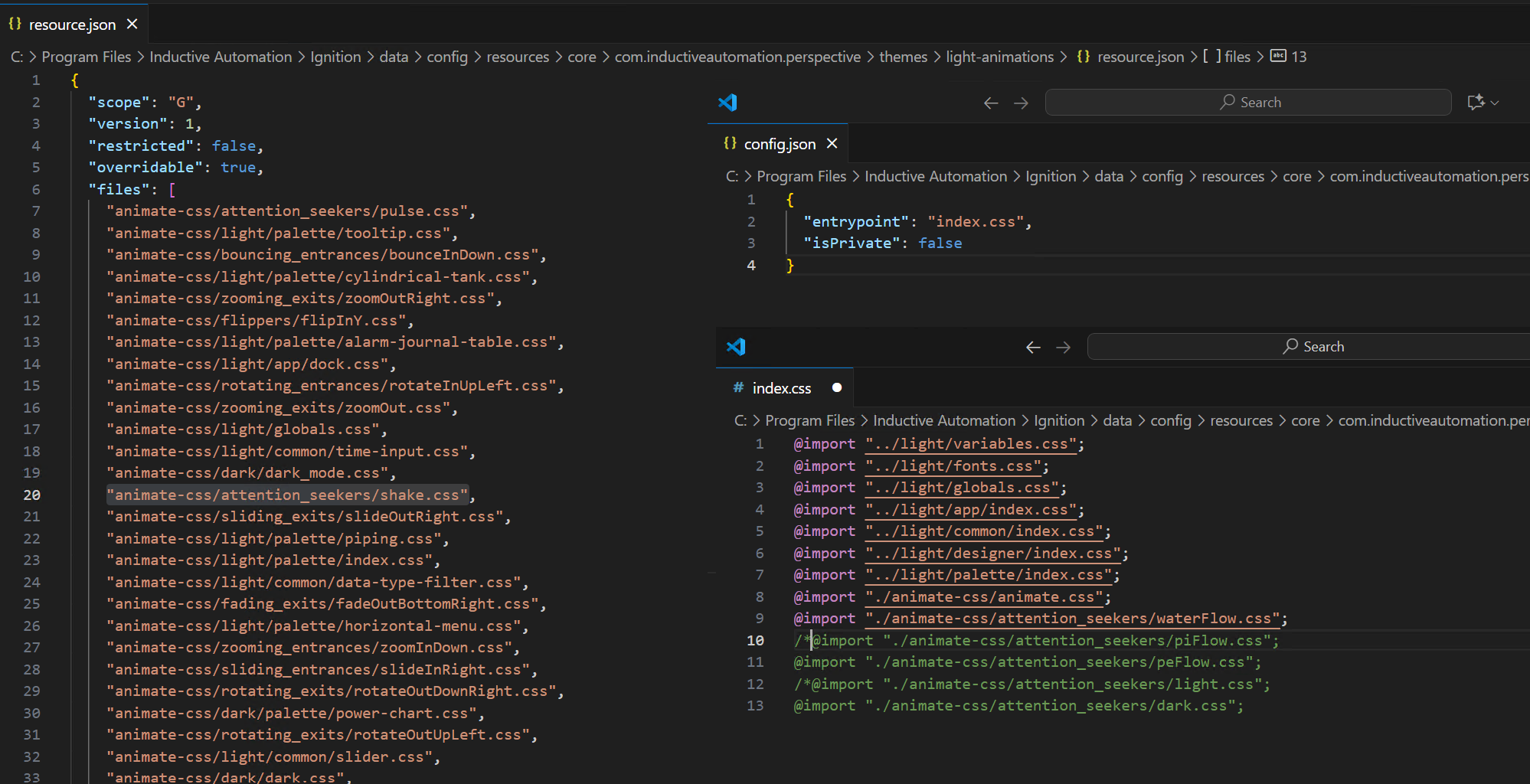

See above. Light and dark are system themes that live in memory. If it helps to view them on the filesystem, you can copy them as read only to core if you'd like. Is that what you're asking? Or, are you saying that your animations are not working?
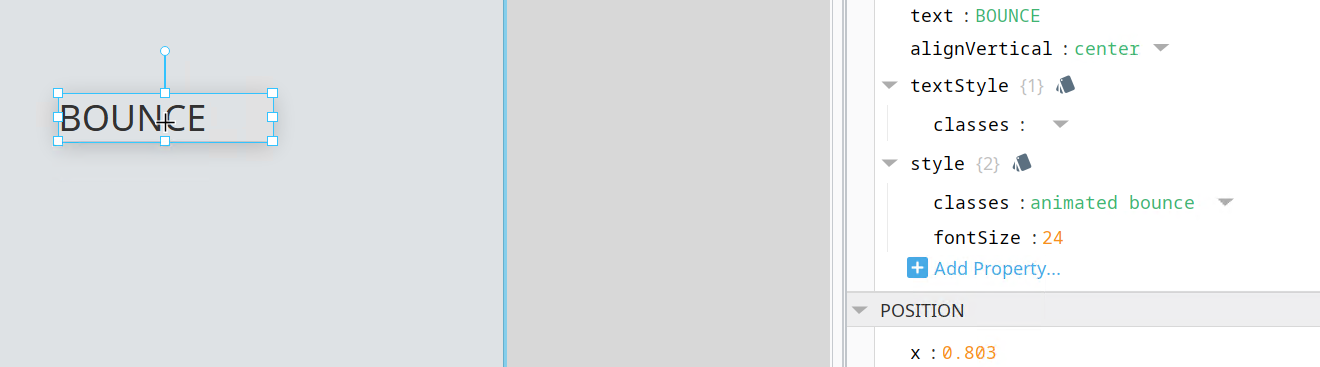
DM me this light-animations theme and I'll have a look.
I still have 8.1 on my local machine and tried out the “bounce” animation with no problems. Here are is the light-animation files link & dev details and a link to a video from TheWebPleb on how to use them.

Another thing I noticed with 8.3 upgrade and themes, it did not include the file paths for the themes.digest.json file. It had the old “data/modules/com.inductiveautomation.perspective/”
Here is what I edited it for each themes, and using the “bounce” as the example/test.
"data\\config\\resources\\core\\com.inductiveautomation.perspective\\themes\\light-animations\\animate-css\\attention_seekers\\bounce.css"
Hi @ynejati
I have two questions here:
- Right now if we use several css file that imported from
index.css, we need to define all of them inresource.jsonone by one. In normal cases we have more so many CSS files structured in folder for our project, so when we write"entrypoint": "index.css"inside the config.json file, why Ignition doesn’t simply go ahead and read whatever@importinside theindex.cssinstead of resource.json? - What if two companies create its own definition of overrides-light when they install their module? (Like Sepasoft and i4Cortex both install their own css files for light and dark.) Always the last module installation overwrite the first one! Is there any way like before people add their own theme folder name inside themes and then just import light.css inside their index.css to overrides light/dark?
Can you do me a favor and send me your theme file via DM? I'd rather not watch a 30 minute video. 
- Right now if we use several css file that imported from
index.css, we need to define all of them inresource.jsonone by one. In normal cases we have more so many CSS files structured in folder for our project, so when we write"entrypoint": "index.css"inside the config.json file, why Ignition doesn’t simply go ahead and read whatever@importinside theindex.cssinstead of resource.json?
I think you're talking about two different things, the new resource system and theme processing. The resource.json is part of moving themes to the new resource config system. The processing of themes by the ThemeManager starts at the entry point. So, it does read the imports in index.css (or whatever you chose as your entry point). Am I missing something?
- What if two companies create its own definition of overrides-light when they install their module? (Like Sepasoft and i4Cortex both install their own css files for light and dark.) Always the last module installation overwrite the first one!
I understand the problem with two overrides, but that same problem would have also existed in 8.1, since there was only one light.css file. Are you saying that's not true?
Is there any way like before people add their own theme folder name inside themes and then just import light.css inside their index.css to overrides light/dark?
You should still be able to do this by adding @ import "../light/index.css" to your custom themes.
For item 1, I mean why we need to includes all of the css files into resource.json while in the config.json we define entry point and inside index.css we import all other css files. So, you can simply read config and then access index.css and finally parse the file and find out all related css files from there.
Here is my theme. I include both fonts.css and variable.css inside index.css so it is extra to define those file again in reosurce.json:
{
    "scope": "A",
    "version": 1,
    "restricted": false,
    "overridable": true,
    "files": [
        "config.json",
        "index.css",
        "variables.css",
        "fonts.css"
    ],
    "attributes": {
    }
}

For item 2 check out following screenshot. For 8.1, inside light.css each module append their own starting css file as entry points:

As you see here my-light, i4cortex and sepasoft both coexist with each other. I understand in 8.3, we can create our own theme name and it is independent, but in reality all the client use light/dark theme and our components need to work with them out-of-box.

Now, I’m just worries if someone install my module and then install Sepasoft, it will overwrite my css.
I propose any folder start with keyword overrides-light-xxxxx treat as overrides for light and the part is for name representing theme extension, which we put our company names.
I imagine the files need to be listed as resources to cause them to be served when referenced by the browser, and included as CSS imports to be referenced by the browser. 
No need for that. Browser understand and use CSS files and import keyword inside them.
And config.json define where to start theme file as a resource in 8.3. the resource.json is somehow make everything duplicated
Yes, there's a need. The gateway is not exposing a filesystem as in v8.1. It is exposing resources. The list in the resource is for the gateway to allow them to be served. The import in the CSS makes the browser request them. You are asking for the gateway to infer the need to serve those resources, which would require the gateway to parse the CSS. It doesn't do that, and I doubt it ever will (risking security holes, if nothing else).
Been digging into this more, and I thought maybe when I migrated from 8.1 to 8.3 that some sort of issues were created by getting the incorrect base themes. So I wanted to test a theory and I went to the following link, Current Ignition Release | Inductive Automation , downloaded the Perspective Module, then extracted the base theme folder and themes and noticed that the theme structure you mentioned above was missing from most of the themes from that link. Left image shows the dark-cool theme from the fresh install of 8.3. Right image shows the upgrade/migration from 8.1 to 8.3. My question to you, why would a fresh installation of Ignition 8.3 not contain the base themes with theme structure you mentioned above, e.g. dark-cool?
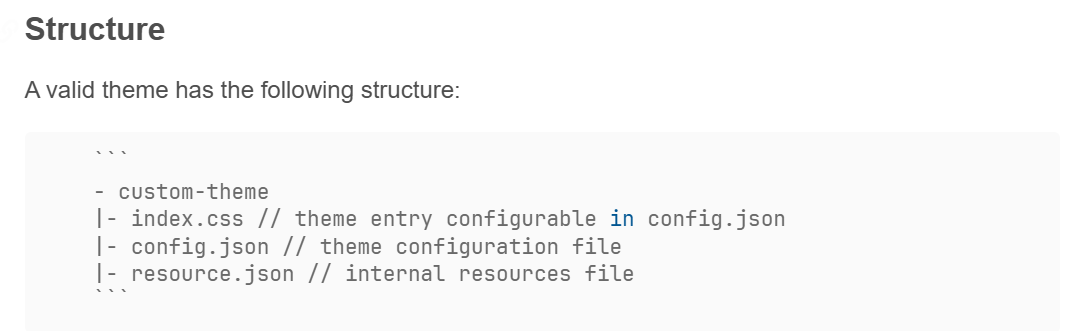
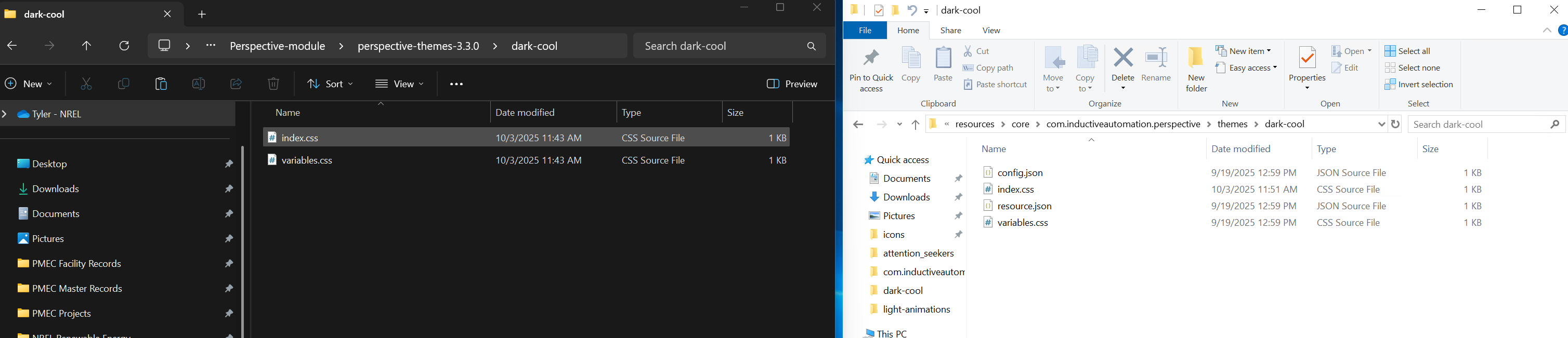
Hi @ynejati
Any feedback on overwriting on overrides-[light/dark] ?
As I mentioned earlier I’ve noticed a serious issue with how overrides-[light/dark] files are being handled in Ignition 8.3.
This wasn’t a problem in 8.1, but if we don’t address it soon, it’s going to cause significant conflicts as more users start testing and deploying modules with theme dependencies. Right now, everyone’s excited about 8.3’s new features — but once they start installing modules or importing resources that include their own theme overrides, we’ll see widespread CSS overwriting problems.
Problem Scenarios
-
Client Customization Lost
A client usesoverrides-[light/dark]to add their own variables, fonts, and classes. Then they install a module. The module’soverridescompletely overwrite their work. -
Module Installation Order Matters
A client installs my module (which includes its ownoverrides-[light/dark]), then installs another module such as Sepasoft. Now Sepasoft’s overrides overwrite mine. Even worse — after a gateway restart, whichever module’s theme mounts last will “win,” meaning that file order (not design intent) decides the outcome. -
Custom Extensions Get Wiped
A client installs a module and extends my CSS code to add their own theme. It works initially, but after the first gateway restart, the module will re-overwritesoverrides-[light/dark], and all their custom CSS is lost.
Proposed Solution
To prevent overwriting and allow all modules and users to coexist cleanly, I suggest changing the folder naming convention to support multiple override files that can be safely appended.
Use this format in the theme directory:
overrides-[light/dark]-xxxx
Where xxxx is a unique identifier for each module or theme (e.g., overrides-light-vCortex, overrides-dark-Sepasoft, etc.).
Ignition would then automatically load all matching files and attach them in order to the main light/dark theme.
There was nothing wrong with your theme. I had to get it from support. Looked like you were running into a bug where a resource.json and config.json was getting created in the root theme folder upon migration due to a legacy .backup directory. A fix is going through QA. In the meantime, just remove those and it should work with theme as you had it in 8.1, not the one you tried to fix after migration (that thing was too far gone). If you add your theme folder from your 8.1 backup to the old 8.1 location on the 8.3 Gateway (modules/com.inductiveautomation.perspective/themes), and then restart your Gateway, it will perform a migration. No need to do a complete restore. Just make sure you delete the existing one in config before doing the migration, otherwise you'll run into conflicts.
Hey,
So the main concern is that some other module author could overwrite an existing overrides theme folder? Is that it?
The idea with overrides-light and overrides-dark was that it would act in the same way as the old light.css entry file. So, overrides-light/index.css would contain everything you had in themes/light.css:
@import "../light/index.css";
@import "../i4cortex-light/index.css";
@import "../nader-light/index.css";
@import "../sepasoft-light/index.css";
@import "../bud-light/index.css";
Your proposed solution of merging overrides (effectively multiple light.css entry points) would likely cause problems related to import ordering, at the very least. I think the solution would be to leave the overrides for the client or module installer, and keep your module themes in their own folders. Does that seem reasonable? Otherwise, what you're requesting sounds more like a feature.
Totally make scenes and it works for me. Thanks.
I have a question on this. In 8.1 we made our dark and light theme by coping the base dark and light theme into our new theme name folder and just adjusting from there. It seems like this is not possible now in 8.3? I ask because we tweaked a few of the behaviors of components beyond just CSS variables. So how would we do that while still inheriting from the light base theme? I am sorry if this is an ignorant question. I am still trying to understand the way CSS works.