Hi,
We would like to display two string tags in the Perspective Power Chart alongside the numeric process tags, as this would provide users with additional context and insights. I attempted to add the string tags; however, the chart displays the tag source as "Not Available" even though the tags exist and are accessible. I have attached a screenshot for reference.
Thanks
Jayachandran M
Continuing the discussion from Showing historized string tags along with other numeric tags:
I don't believe this is possible to do with the Power Chart; it does not work for string tags.
The only thing you could do is to hijack the annotations table and insert the text into here:
Actually, I stand corrected - it does appear to work in 8.1.51
What version are you in?
This is working fine for me now. Earlier, it was showing an error, so I tried executing system.tag.queryTagHistory(). I noticed that no data was being returned for the tag, even though the Tag Browser showed the history icon and tag history was enabled in the tag configuration.
To troubleshoot, I simply disabled tag history and then re-enabled it. After doing this, the query started returning data and the issue was resolved.
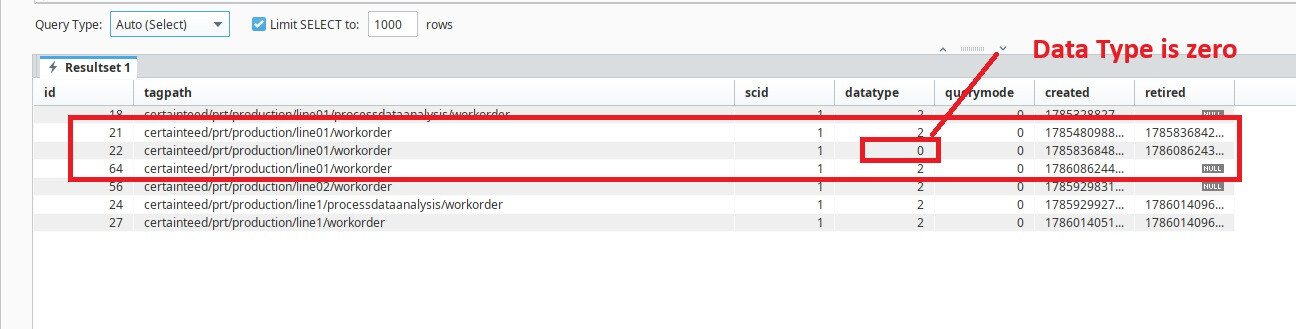
I also verified in the Query Browser that the data type value for the tag was 0.