Hi everyone,
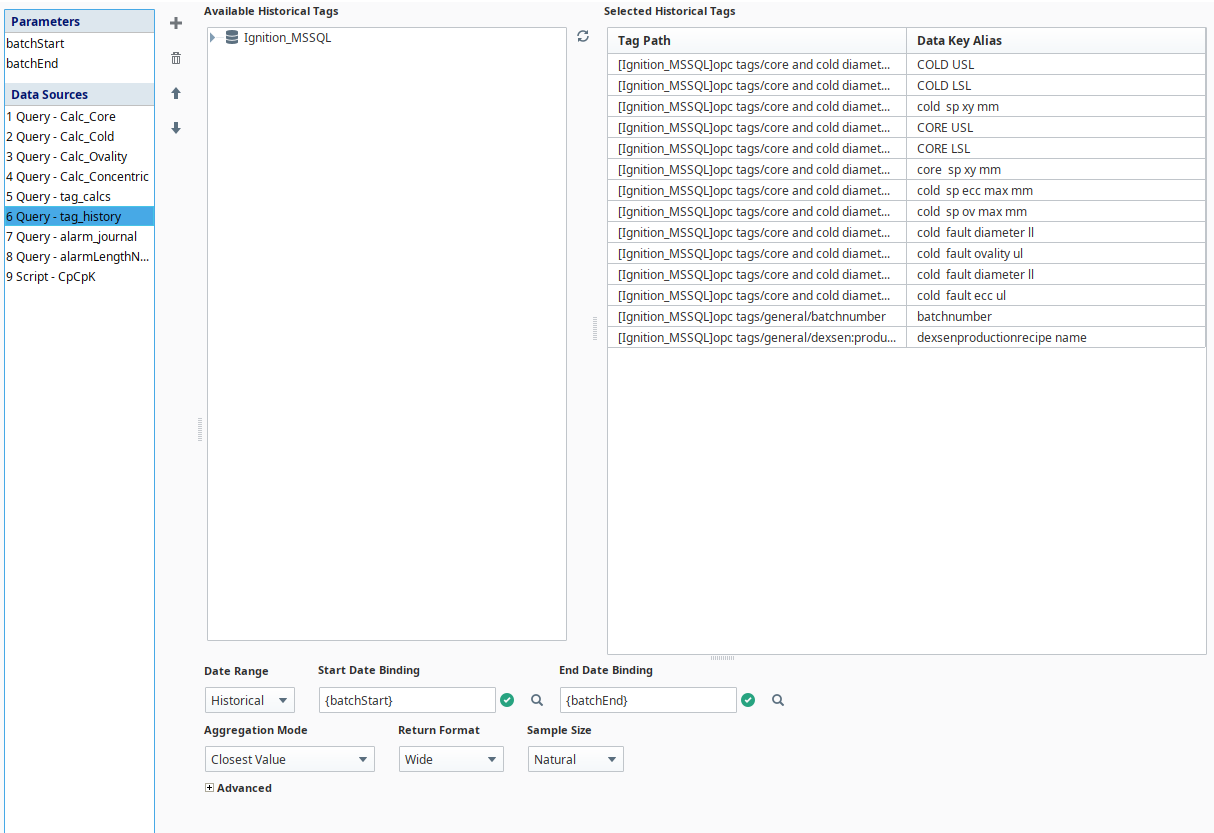
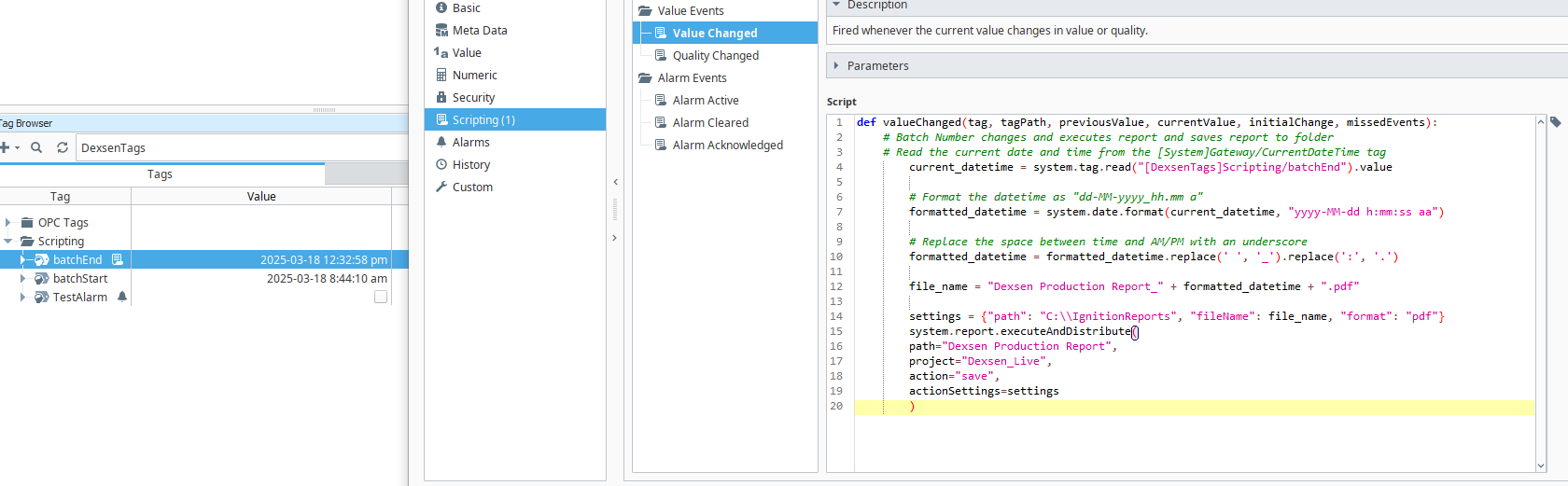
I have a report that uses {batchStart} and {batchEnd} datetime parameters to give the tag_history query a range. The system.report.executeAndDistribute function is triggered by the batchEnd memory tag changing, saving the report to a folder on my computer.
When I preview the report, the table is populated with the values I expect from the historical query datasource. When the batchEnd memory tag changes value, the report is saved to my folder but all of the historical values are null.
Do I need to have a different trigger to save the report, or have a different range for the historical query to gather data from?
Cheers
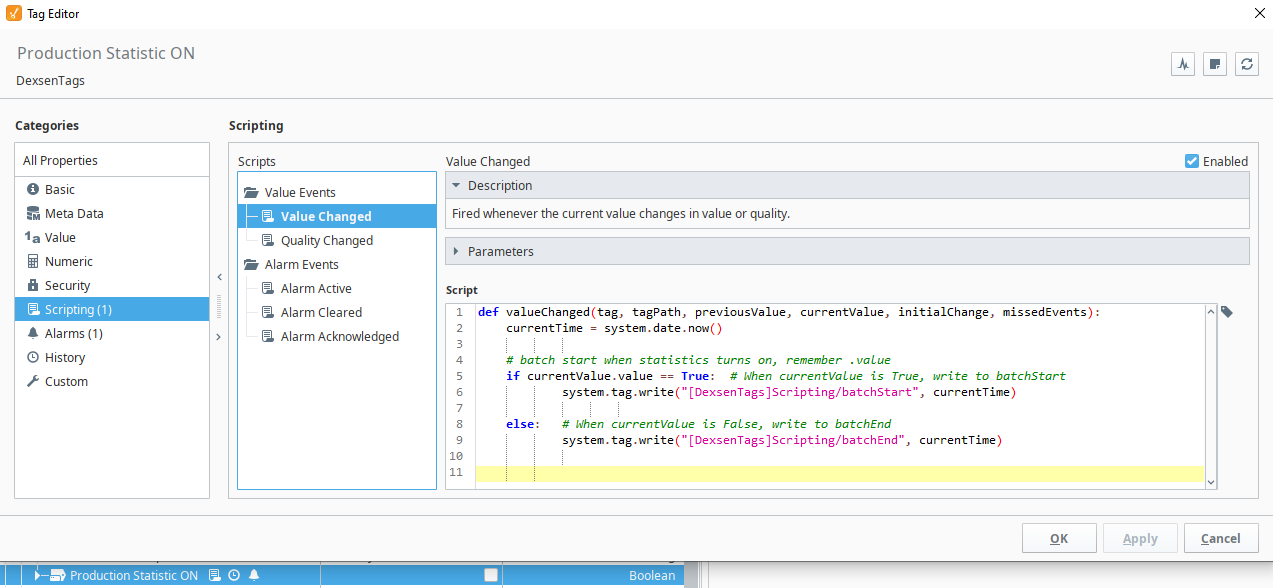
Show your code. Show your report parameter setup.
The Statistics ON Boolean tells me if the machine is on or off, so that triggers my start and end time to be saved. I hope these images make sense, thank you.
A job just finished, this is the saved report in the same time period but as you can see it returned null for a few values.
Consider reading those tags in your tag event script to make sure you have the latest, and passing those arguments to the report instead of relying on the default expressions.
Log the args to make sure you are getting what you expect. (There may be a race between the updates to the separate tags.)
I force saved the report, using the Schedule Actions section, and the saved report still provides null results even though I see the values in the preview. The tag_calcs query works fine and runs in the same range as the tag_history query.
Preview ≠ Execute
Please implement my suggestion to verify if there is a race condition.