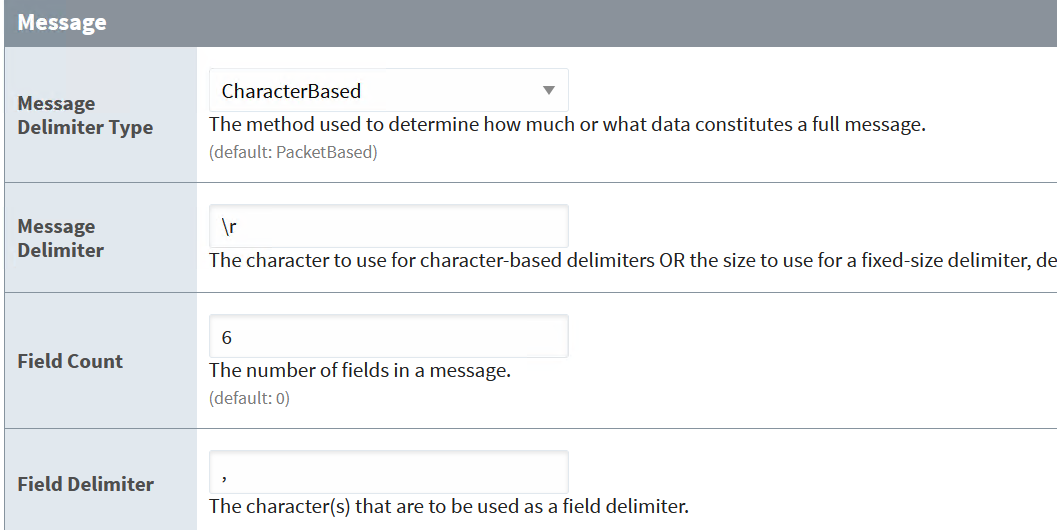
I am using a PUSR rs232 serial TCIP Server. I have the data formatted within the ignition device, and am not having any problems with this, but the device stops receiving data after a certain amount of time.
The ignition device remains connected but only works again after I restart the device or resave changes. I have tried to set the inactivity timeout, but it will lose data if a signal is received while it is restarting due to inactivity.
If your device can send more than one message in the poll rate for the tag group, then the TCP device will not be suitable for your application. You would need to use java sockets instead, with a long-lived listening thread. (Which has complications--search for that here on this forum.)
Get a Wireshark capture that includes comms leading up to, and including when it stops receiving, and then including an edit/save of the device to force it to reconnect.
I have a HMI with a serial output that plugs into the tcp rs232 device. The HMI does not receive any data. The device allows me to send a number of strings without going to sleep. I wait a while and it no longer sends data. Do you still think that I need a wireshark?
I'm just trying to determine if you're not getting data because it's no longer being sent, and you need to be looking outside of Ignition to figure out what the problem is, or if it's because at some point you receive some unexpected data outside of the TCP driver's message framing configuration, so it just starts accumulating or something.
okay, I have now figured out how to do this after some trial and error.
Before I had restarted the device you could see nothing in wireshark. Once I restarted ignition tcp device, the data started to flow. I waited until it stabilized and recorded it in first file.
Your actual messages are terminated with carriage returns. Be sure you use that in your device configuration.
However, you have a bigger problem: you can get two messages in a single packet. This will cause the driver to lose all but the last message.
More than likely, your source device is not setting low-latency mode (aka disabling the Nagle algorithm) and buffering multiple messages.
You won't be able to process multiple messages per packet with the TCP device. You will need custom scripting with a java socket and a long-lived thread.
You can open a support ticket to get a more thorough confirmation of my diagnosis, or perhaps help manipulate the device to make it behave better. But they aren't going to write custom socket code for you. You'll find a bunch of material here on the forum, though.