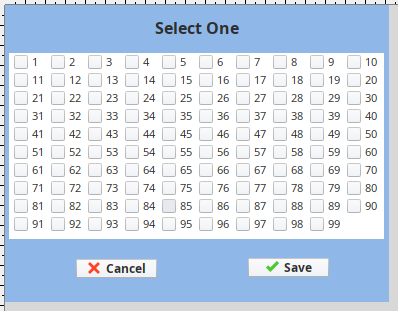
Thank you. I tested that I can access back to the template repeater, or the windows’ root container by repeat .parent several times.
print '\nlevel1:'
print event.source
print type(event.source)

print '\nlevel2:'
print event.source.parent
print type(event.source.parent)

print '\nlevel3:'
print event.source.parent.parent
print type(event.source.parent.parent)

print '\nlevel4:'
print event.source.parent.parent.parent
print type(event.source.parent.parent.parent)

print '\nlevel5:'
print event.source.parent.parent.parent.parent
print type(event.source.parent.parent.parent.parent)

print '\nlevel6:'
print event.source.parent.parent.parent.parent.parent
print type(event.source.parent.parent.parent.parent.parent)

print '\nlevel7:'
print event.source.parent.parent.parent.parent.parent.parent
print type(event.source.parent.parent.parent.parent.parent.parent)

print '\nlevel8:'
print event.source.parent.parent.parent.parent.parent.parent.parent
print type(event.source.parent.parent.parent.parent.parent.parent.parent)
And it prints out the details of the hierarchy. I can use it to access back to template repeater or root container.
level1:
com.inductiveautomation.factorypmi.application.components.PMICheckBox[CheckBox,0,0,43x18,alignmentX=0.0,alignmentY=0.5,border=javax.swing.border.EmptyBorder@2fad08a2,flags=352,maximumSize=,minimumSize=,preferredSize=,defaultIcon=,disabledIcon=,disabledSelectedIcon=,margin=javax.swing.plaf.InsetsUIResource[top=0,left=0,bottom=0,right=0],paintBorder=true,paintFocus=true,pressedIcon=,rolloverEnabled=true,rolloverIcon=,rolloverSelectedIcon=,selectedIcon=,text=1]
<type 'com.inductiveautomation.factorypmi.application.components.PMICheckBox'>

level2:
Cavity Selector
<type 'com.inductiveautomation.factorypmi.application.components.template.VisionTemplate'>

level3:
com.inductiveautomation.factorypmi.application.components.TemplateRepeater$FlowVerticalView[,0,0,375x180,layout=com.inductiveautomation.ignition.client.util.gui.VerticalScrollingFlowLayout,alignmentX=0.0,alignmentY=0.0,border=javax.swing.plaf.synth.SynthBorder@26657e3d,flags=16777217,maximumSize=,minimumSize=,preferredSize=]
<type 'com.inductiveautomation.factorypmi.application.components.TemplateRepeater$FlowVerticalView'>

level4:
javax.swing.JViewport[,0,0,375x186,layout=javax.swing.ViewportLayout,alignmentX=0.0,alignmentY=0.0,border=,flags=25165824,maximumSize=,minimumSize=,preferredSize=,isViewSizeSet=true,lastPaintPosition=java.awt.Point[x=0,y=0],scrollUnderway=false]
<type 'javax.swing.JViewport'>

level5:
com.jidesoft.swing.JideScrollPane[,0,0,375x186,layout=com.jidesoft.swing.JideScrollPaneLayout$UIResource,alignmentX=0.0,alignmentY=0.0,border=,flags=16777536,maximumSize=,minimumSize=,preferredSize=,columnHeader=,horizontalScrollBar=javax.swing.JScrollPane$ScrollBar[,0,0,375x0,hidden,layout=javax.swing.plaf.synth.SynthScrollBarUI,alignmentX=0.0,alignmentY=0.0,border=javax.swing.plaf.synth.SynthBorder@57905cca,flags=4194560,maximumSize=,minimumSize=,preferredSize=,blockIncrement=10,orientation=HORIZONTAL,unitIncrement=1],horizontalScrollBarPolicy=HORIZONTAL_SCROLLBAR_AS_NEEDED,lowerLeft=,lowerRight=,rowHeader=,upperLeft=,upperRight=,verticalScrollBar=javax.swing.JScrollPane$ScrollBar[,0,0,0x0,hidden,layout=javax.swing.plaf.synth.SynthScrollBarUI,alignmentX=0.0,alignmentY=0.0,border=javax.swing.plaf.synth.SynthBorder@5604662e,flags=4194560,maximumSize=,minimumSize=,preferredSize=,blockIncrement=10,orientation=VERTICAL,unitIncrement=1],verticalScrollBarPolicy=VERTICAL_SCROLLBAR_AS_NEEDED,viewport=javax.swing.JViewport[,0,0,375x186,layout=javax.swing.ViewportLayout,alignmentX=0.0,alignmentY=0.0,border=,flags=25165824,maximumSize=,minimumSize=,preferredSize=,isViewSizeSet=true,lastPaintPosition=java.awt.Point[x=0,y=0],scrollUnderway=false],viewportBorder=javax.swing.plaf.synth.SynthScrollPaneUI$ViewportBorder@1d13024f]
<type 'com.jidesoft.swing.JideScrollPane'>

level6:
com.inductiveautomation.factorypmi.application.components.TemplateRepeater[Template Repeater,4,48,375x186,layout=com.inductiveautomation.ignition.client.util.gui.FillingLayout,alignmentX=0.0,alignmentY=0.0,border=,flags=9,maximumSize=,minimumSize=,preferredSize=]
<type 'com.inductiveautomation.factorypmi.application.components.TemplateRepeater'>

level7:
Root Container
<type 'com.inductiveautomation.factorypmi.application.components.BasicContainer'>

level8:
javax.swing.JLayeredPane[null.layeredPane,0,0,384x297,alignmentX=0.0,alignmentY=0.0,border=,flags=0,maximumSize=,minimumSize=,preferredSize=,optimizedDrawingPossible=true]
<type 'javax.swing.JLayeredPane'>