Version: 8.1.49 (b2025081208)
I am creating my first UDT. So bare with me on my terminology and such. The UDT I am creating are for Totaflow meters. I have 3 different configs on the meters so I am trying to create 3 unique UDT’s for their respective setup.
I believe I have created the first UDT correctly that I will use for a Fuel Meter using parameters. When I create a new Data Type Instance using the UDT, it brings in the new device with the EU’s and history that I setup.
My issue is when I create a new UDT from an existing device, I want to use some of the same OPC data path I used in EFM_TF_Fuel_Recycle UDT. The devices are similar but they are slightly different in naming, EU’s and history needs. When I am modifying the tagpaths during this process, if I paste the path into each tag individually, the path will italicize. If I select a group of tags and paste the OPC data path, the path does not italicize or work when I open the individual tag to verify the path works. I have to delete the OPC data path in the tag, apply, then paste and apply for the OPC data path to take effect.
Below, Fuel_Recycle is the first UDT and working. The Flare UDT, I copied the tag path and pasted it in as a group. This is to show they match. I could not figure out to not have to type [Diagnostics] or Constants. If you can help with that also….hehehe
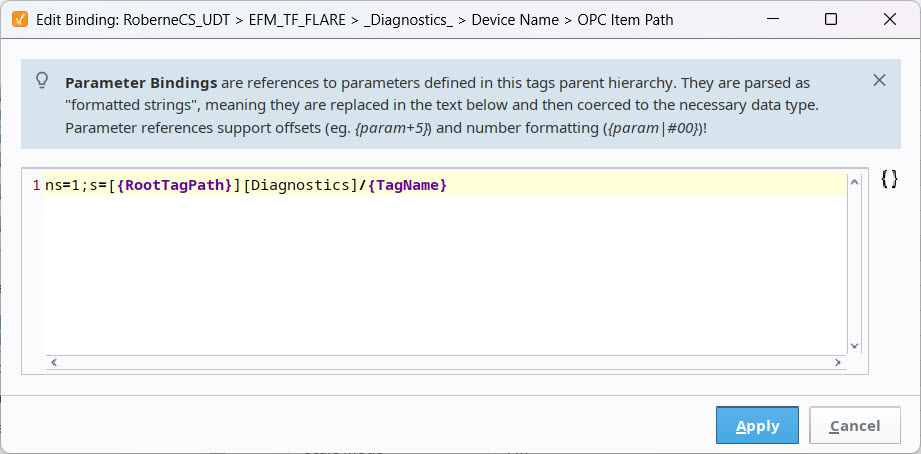

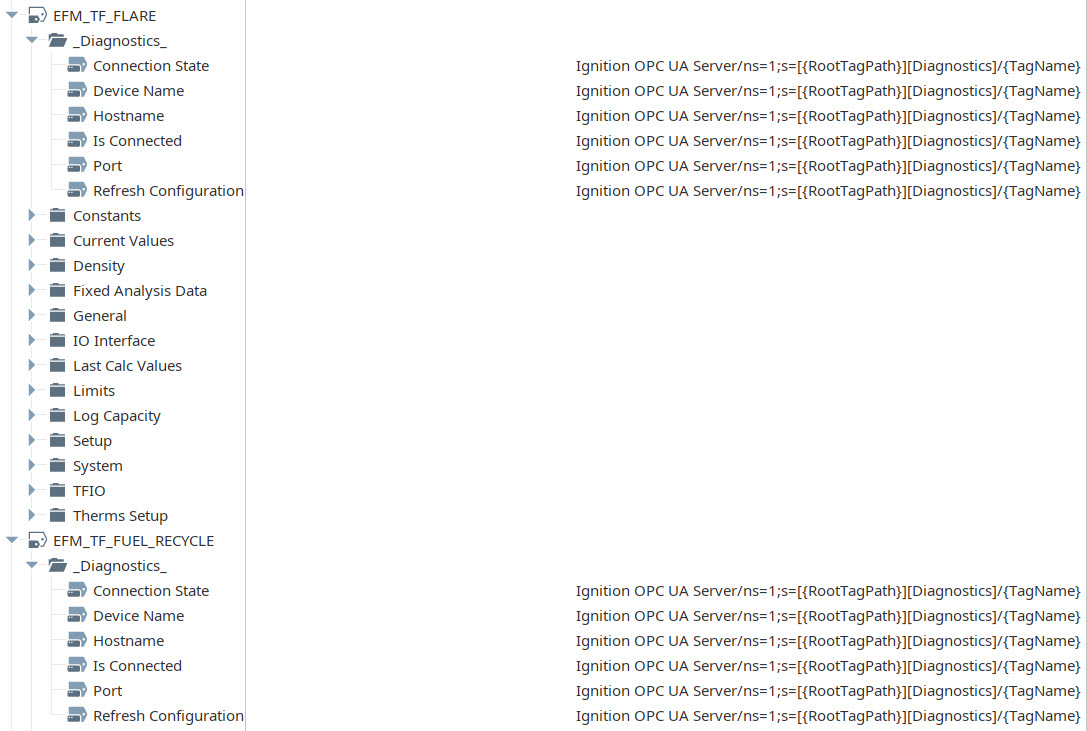
As you can see the OPC Item Path did not italicize when I opened the tag in the UDT. Also when I look at the device created in the tag list, the path did not italicize.


When I paste the OPC data path into individual tags within the UDT editor, then save. The live tags work without issue.
What am I missing when I paste the path into a group of tags?
I found this post about the issue back in 2024 but didn’t see any resolution to it.
UDT OPC Path Issues - Ignition Early Access - Inductive Automation Forum