VIDEO starter kit for Ignition Vision and Perspective 8.1 !
3 use case:
A standalone video wall Ignition Vision project
A video wall Ignition Vision Project with the choices of the cameras driven by an Ignition Perspective Project
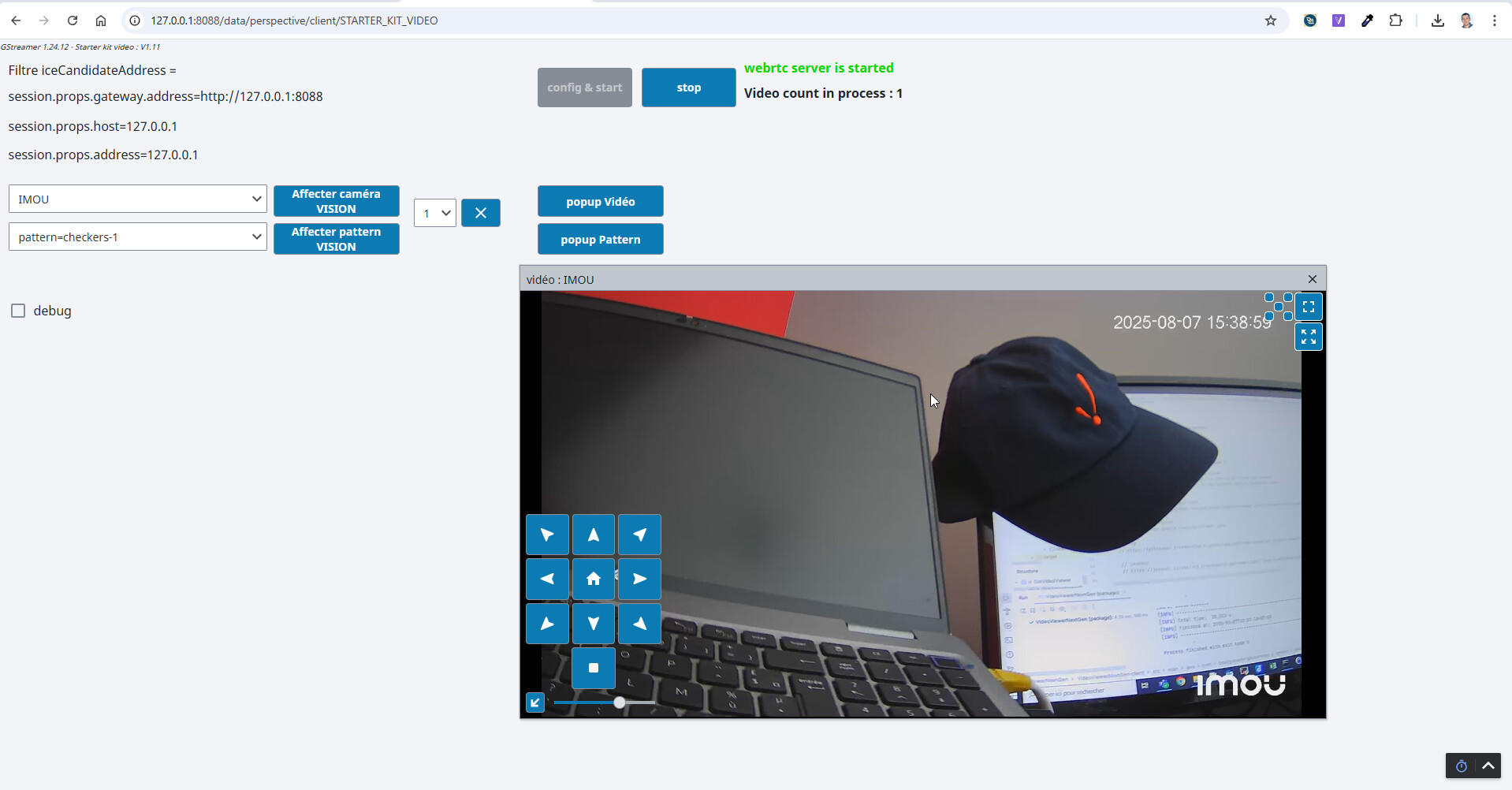
A video stream displayed in a standalone Ignition Perspective Project
(3. is a tricky and complex solution. Don't use it in production without running test over time)
Adjust camera settings in: shared.commun.constantesCustom.VIDEO_SERVER
onvif endpoint and rtsp stream user/password
adjust the port serving the page of the iFrame with the webrtc client
adjust the maximum perspective session displaying video stream
Launch Ignition Vision and/or Perspective Project
For perspective : start the video server: with the button: "Config & Start"
Important Notes:
some camera allow onvif command only if the times of the camera and the PC sending command are sync. For example, this is the case for Axis camera or IMOU camera.
Check your firewall allow communication for ONVIF port (80) and RTSP port (554) and webrtc iframe port (9000) if perspective is used.
With Ignition Vision, when testing on localhost, with Ignition Vision client and gateway launched on the same machine: use parameter : shared.commun.constantesCustom.IP_CLIENT_FILTER_VIDEO_WALL = False (IP address is used to detect that Ignition client vision and perspective session are on the same machine and "link" both client. This parameter bypass the test for test with client launched on localhost)
With Ignition Perpective, webrtc between Ignition gateway and browser client work only if the Perspective client session is launched with an IP address: http://IP:8088/... instead of http://localhost:8088/... or http://127.0.0.1:8088/...**
Perspective Chrome only support H264/VP8 video stream.
All H264 profile (low, medium, hight) are not always supported.
In such case you will have to choice the webM VP8 format well supported by the browser.
For Perspective the RTSP stream is connected from the gateway.
According the source video format (H264/H265) and the destination video format (H264/VP8/VP9)
The module use gstreamer to decode/encode the video format and convert the transport protocol from RTSP to WEBRTC.
Some quality settings for encoding (low latency) can be used.
In theory, H264 source => H264 destination will make the lowest load for the gateway
Gateway CPU/RAM Load:
In case of perspective, each camera stream displayed in a perspective session give a CPU/memory
load for the gateway and a load in the browser as well.
We can put a maximum concurrent stream limit to avoid gateway overload.
We advice to use a dedicated gateway for video stream decode/encode.
In case of vision, the load for each stream is supported by the each vision client.
You are shipping gstreamer jar files in your "heavy" module, and auto-installing on client computers. These files are produced with a LGPL v3 license, which requires you to accommodate users who wish use modified versions of those jars and/or JNI files. Do you have instructions for people who wish to repackage your module to achieve that?
Also, your license file does not include the required acknowledgements for any of the BSD/MIT and LGPL libraries you are including. You should fix that.
{I highly recommend you not offer the heavy version. IANAL, but I've seen this sort of thing before.}
Yes sure, you are right "heavy" module with gtreamer for windows auto-deployed with vision client is just provided for demo/test purpose of this kit and will not be available with a license.
Uhm, it is still distribution. Even if you don't provide a license. Even if your license says it is offered "as-is", with no warranty.
{ You don't seem to understand the obligations put on you by the LGPL. It doesn't matter if you are charging for a license. Seriously consider paying a copyright lawyer look at this, before you get yourself in deep trouble. }
Salut Lionel, I am having a hard time trying to play an RTSP stream with the VideoViewer component . Could you explain what are the parameters I should provide to play my stream.
My setup is just an RSTP server publishing a stream locally.
Upgrade to fix major issue for perspective version (embbeded jetty server launched was in conflict with ignition jetty and broke gan/redundancy websocket connection)
Code refactor de rely on the ignition jetty server instead of launching another one.
Remove the need to use another dedicated. Usage of Ignition standard ports (8088,8043)
Now available for Windows, Linux and macOS Sequoia For Vision and Perspective
(tested under windows 10, 11, server 2019, 2022, ubuntu 24.04, adn macOS so
install gstreamer full version with good, bad and ugly plugin on Linux, webrtc protocol used to stream the video for perspective require to install:
No camera video at hand ? use one of the video test pattern generate by the module to check the video stream is send for the gateway to the perspective client, or to check the video is displayed in vision client.
for perspective, the video is streamed with webrtc. You can adjust the min/max rtp port range used by webrtc. Those TCP ports must not be blocked by your firewall on the gateway. (1 port is dedicated for each client with an active video stream)
New Release 1.8.30 with support for H265 (to avoid decode-encode the video stream) but with special requierements about the browser:
Launch chrome browser with the following paramaters:
cd "C:\Program Files\Google\Chrome\Application"
chrome.exe --enable-features=WebRtcAllowH265Receive --force-fieldtrials=WebRTC-Video-H26xPacketBuffer/Enabled
Chrome version > 127
PC Client must use hardware decoder (tested only with NVIDIA)
(chrome://flags : Hardware-accelerated video decode must be activated)
Configure for the H265 camera:
shared.commun.constantesCustom.VIDEO_SERVER.CAM_XXX.output_stream_process = "h265"
Webrtc H265 is not supported by Edge Browser. It sould works with Safari.
As a side note:
With CHROME Version 136.0.7103.114 (Build officiel) (64 bits)
Launch parameters:
cd "C:\Program Files\Google\Chrome\Application"
chrome.exe --enable-features=WebRtcAllowH265Receive --force-fieldtrials=WebRTC-Video-H26xPacketBuffer/Enabled
seems not to be required anymore on windows for H265.
Moreover Chrome seems to support more hardware GPU to decode H265, like basic Intel GPU for example..
Version 136
Last but not least,
With Jetty upgrade from 10 to 12 in Ignition 8.1.49
A new release 1.8.36 of this module relying on Ignition embedded Jetty version would be available.
 VIDEO starter kit for Ignition Vision and Perspective 8.1
  !
!


 (tested only on windows OS)

 Disclaimer : this starter kit is mainly used with OS windows, and few tests have been done with Linux ubuntu and macOS.

 Note: these module require gstreamer 1.20,1.21 or 1.22 installed on client and gateway for vision, on gateway only for Perspective usage.
 . Could you explain what are the parameters I should provide to play my stream.
 on the gateway. (1 port is dedicated for each client with an active video stream)


 Ready for Ignition 8.3-beta